In this guide, I will show you how to download Spotify podcasts to MP3, completely legal without infringing Spotify's terms and conditions and without using a Spotify podcast downloader. There are many tools online that let you download Spotify podcasts as MP3s, but all of them are illegal to use because they violate Spotify's TAC.
Now, you might be wondering: if all these Spotify podcast downloader tools are technically illegal, is there any legitimate way to do it? The answer, of course, is yes! In this method, we will access the actual RSS feed that Spotify uses to pull all the data for a show on its platform and download it directly from there.
Method 1 - Download Spotify Podcast to Mp3
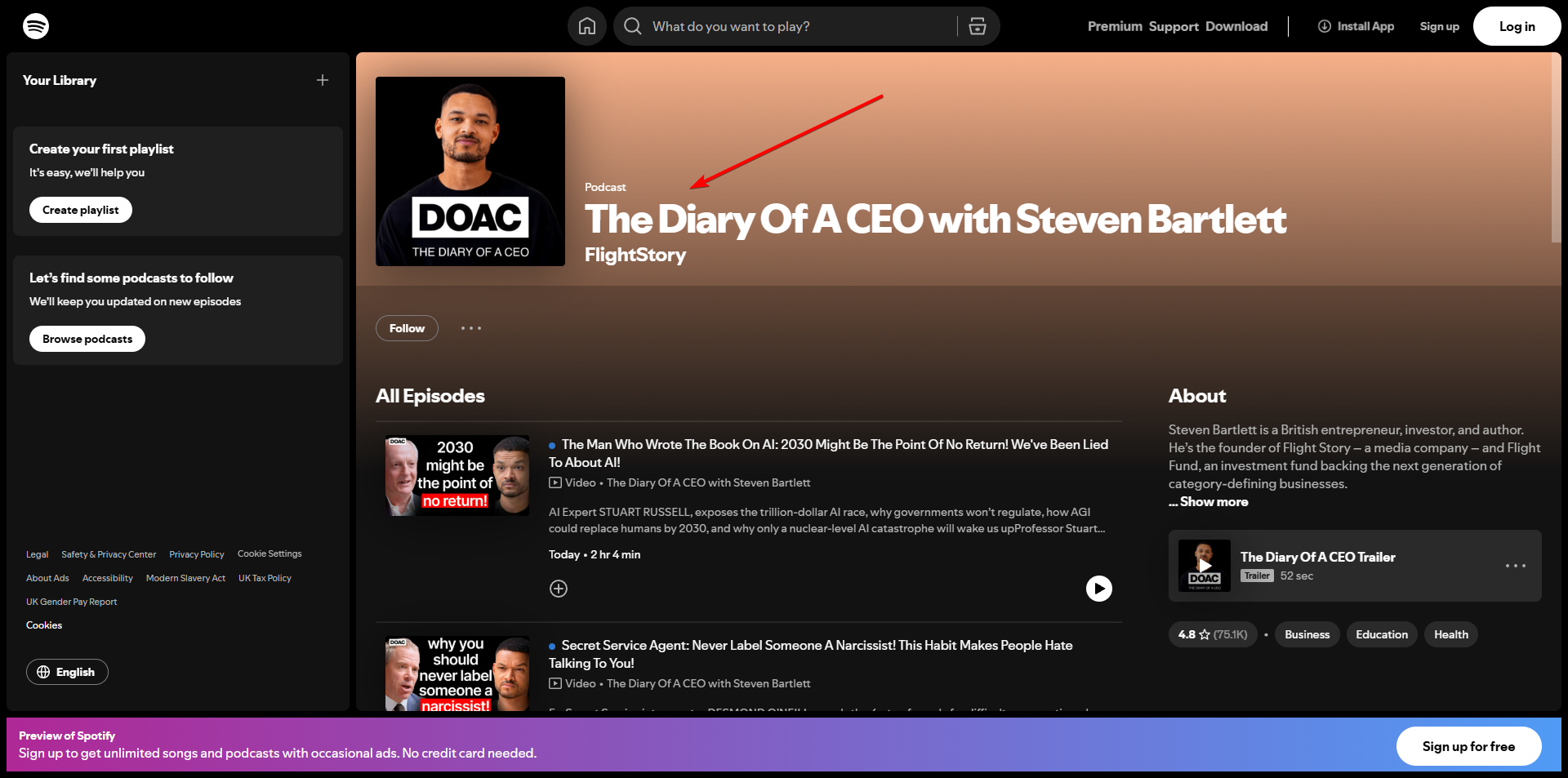
Step 1: Find the podcast episode you want to download on Spotify
Using Spotify's search, look for the podcast you want to download and make a note of its name.
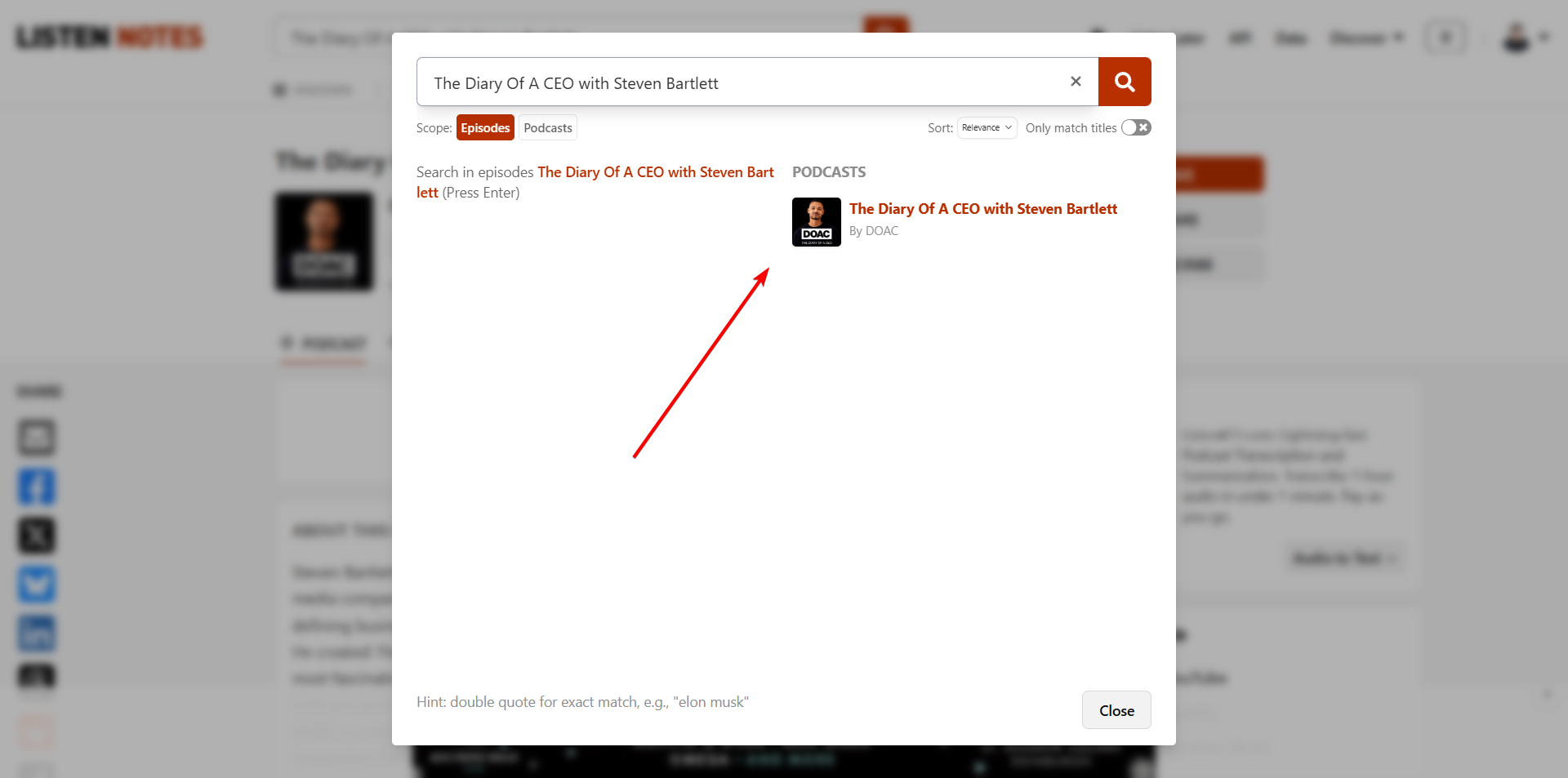
Step 2: Search The Name on Listen Notes
Go to https://listennotes.com. Like Spotify, Listen Notes is a directory of 3.6 million podcasts. There is a 90% chance that if it's distributed on Spotify, you will find the podcast there, since it fetches all these directories periodically, so it is pretty up to date.
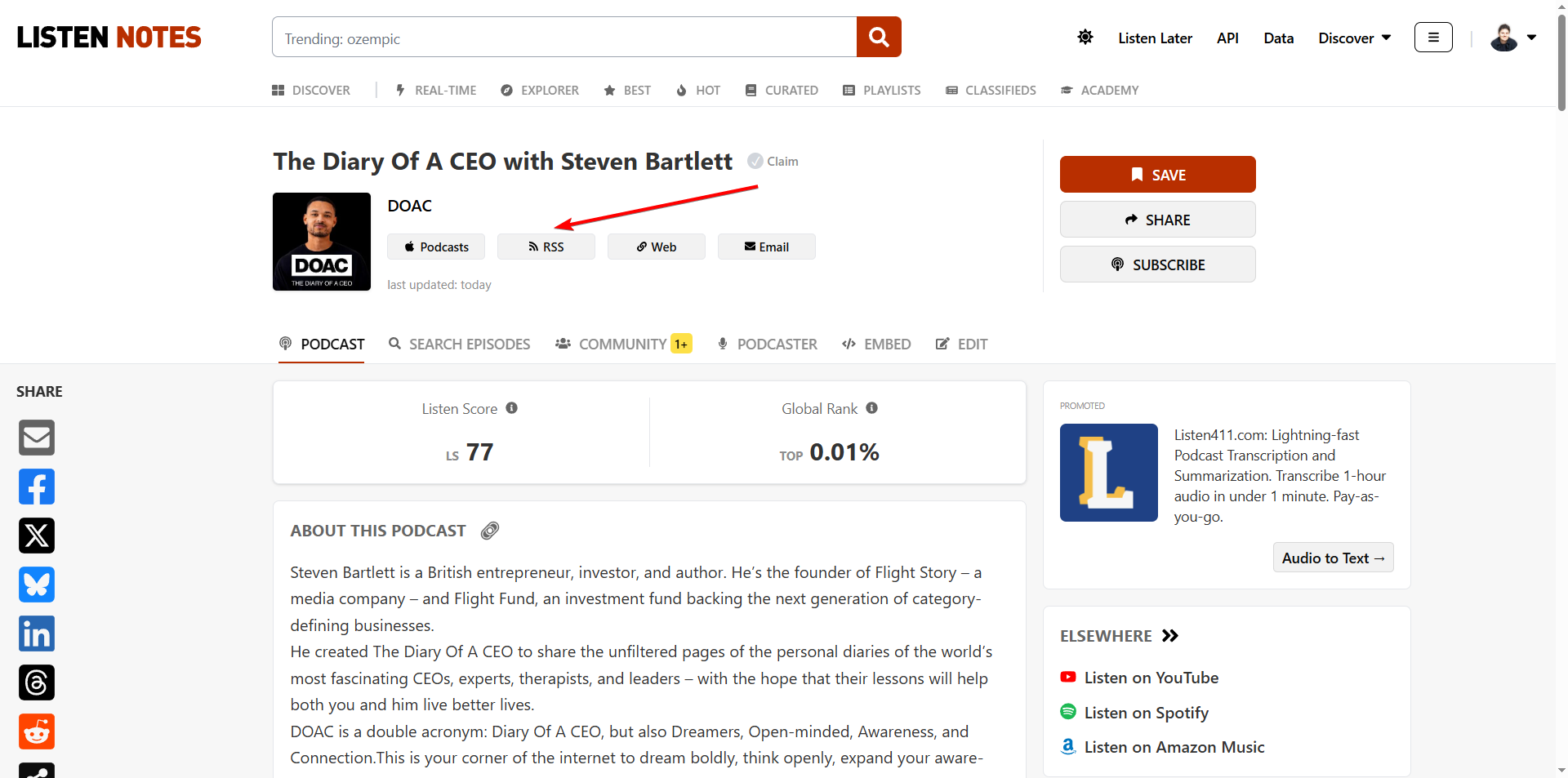
Step 3: Find The RSS Feed Button
Once you have found the podcast page, click the RSS feed button. You may need to create an account. Don't worry, it's fast and free.
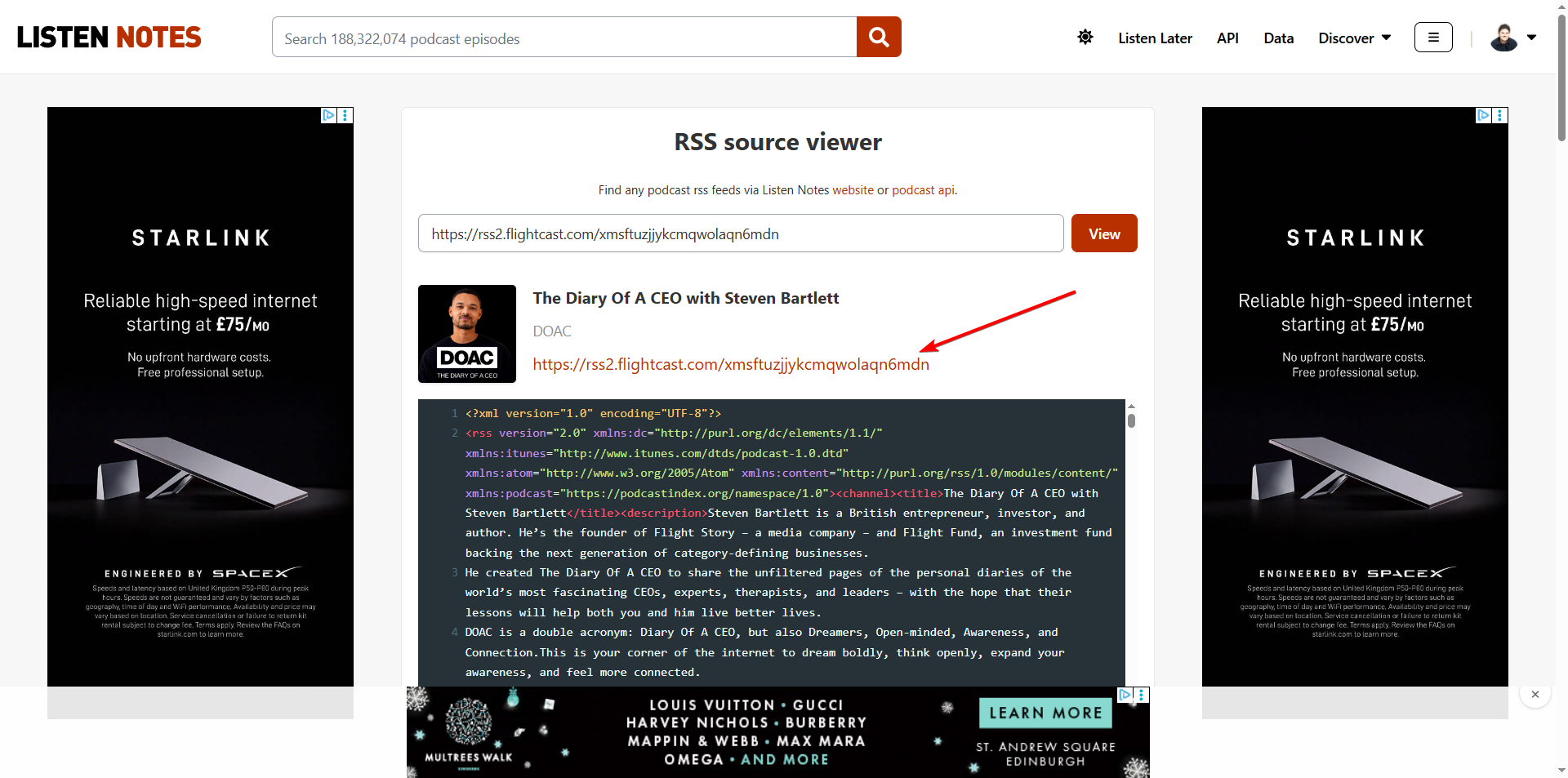
Step 4: Access The RSS Feed That Points To Spotify
The RSS feed is the link Spotify uses to download all episodes of a show to its servers. Within this link, you'll find all the episodes and raw data of a podcast.
Step 5: Find The Podcast Episode Within The RSS Feed
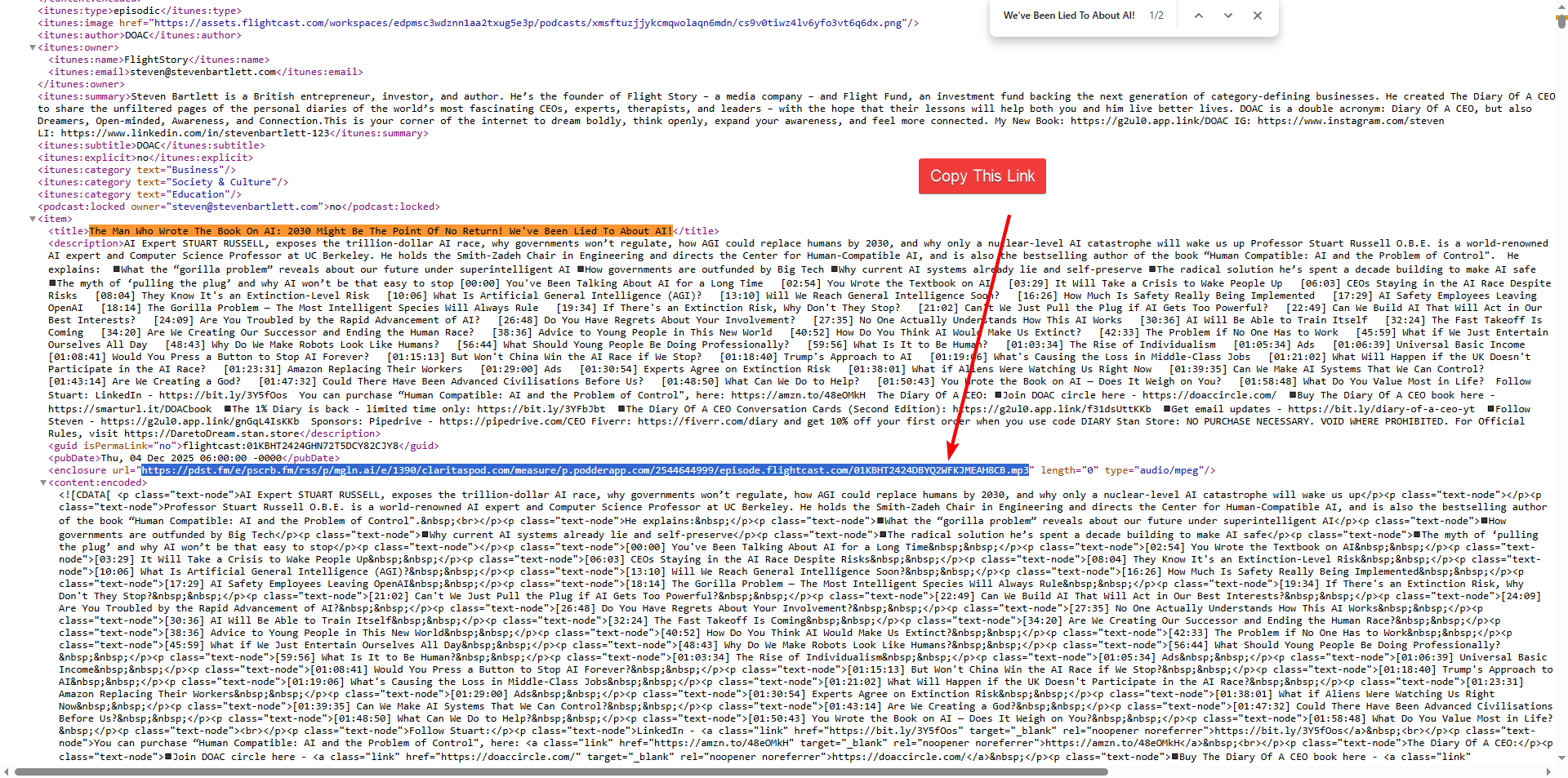
In the RSS Feed, you will see a lot of code, but don't get overwhelmed; it is pretty easy to understand and search through. All you need to do is copy the title of an episode from that show on Spotify, press CTR+F on Windows or CMD+F on Mac while accessing the RSS feed, and a search text bar will appear at the top of the browser. Paste the title in that search bar, and voila, the title of that episode will be highlighted. Somewhere below, you can see the exact link Spotify uses to list the podcast in its directory. Copy it without the quotation marks, and paste it in the browser URL section.
You can recognise that link by its ".mp3" extension, which indicates that it is an MP3 file.
Step 6: Download Spotify Podcast to Mp3
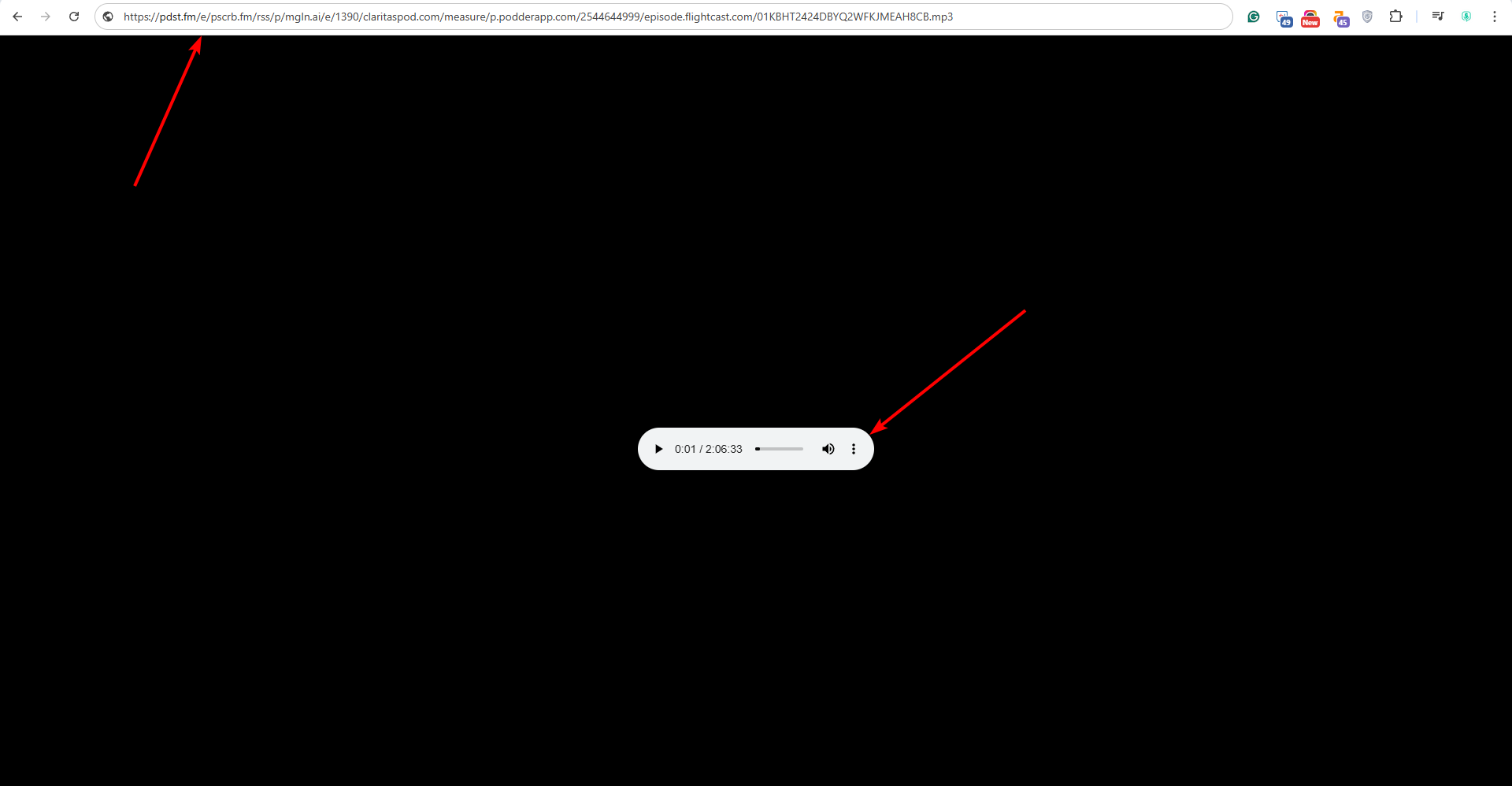
Once pasted in the browser URL search bar, you can see a player with three dots on the right. Click on it, and a dropdown with a download option will become available. Click on the button, and the podcast will start downloading.

Method 2 - Download Spotify Podcast to Mp3
Same as in Method 1: use Spotify's search to find the podcast you want to download, then make a note of its name. Instead of going to Listen Notes to search for the podcast, you can use other databases to find its RSS feed.
Other Popular Databases / Directories:
Once you find the RSS feed, you can proceed directly from Step 5 to download Spotify podcast to MP3.
FAQ
Q1: Why is this method of downloading a podcast from Spotify legal?
Technically, you download the episode directly from the servers hosting the podcast, bypassing Spotify, which is entirely legal.
Q2: What if a podcast is not on any of these databases?
In that case, there are a few more workarounds. You can find the podcast on the show's website, where an RSS or download button could be available. It would be extremely rare for this to be the case, however.
Bogdan Bratis
CEO & Founder of Saspod. Podcast Producer & Digital Marketing Expert. I'm based in Glasgow, where on the side I play keyboard in function bands throughout Scotland, and I'm addicted to coffee.

Comments
No comments yet!